DZone MVB Rewards
This morning I received a package all the way from North Carolina in the United States (it arrived a couple of days ago but I didn’t pick it up until today). Inside this transatlantic cardboard capsule were an assortment of gifts from the fine people at DZone in appreciation of my contributions as a DZone MVB (Most Valuable Blogger).
All I have to do as an MVB is agree to allow DZone to cherry-pick articles from this blog to republish on the DZone network. Not exactly hard work on my part, though given my reduced posting frequency over the last year or so I am somewhat surprised that I am still on the MVB list.
Above is the obligatory picture of me in my new DZone t-shirt (ignore my face, I always look like that). Also included in the package were a couple of DZone magnets, a postcard from the DZone team, and two of DZone’s refcards. One of the cards covers the Netbeans Platform and one is about Vaadin, which is apparently “A Familiar Way to Build Web Apps with Java”. It’s not that familiar as I have never heard of it. Still, it’s worth a read as it might be interesting and the diagram (right) seems pretty straightforward.
Thanks to Matthew, Jim and anyone else at DZone responsible for taking the time to send out these packages. Reddit never gave me a t-shirt.
Free StackOverflow Careers Invites
About 18 months ago when I was looking for contract work, I signed up for Stack Overflow Careers. This was back when you had to pay to use the service (it’s now free but registration is by invitation only – more on that in a minute). The asking price had quickly dropped from an ambitious $99 a year to a merely illegal $9 by the time I signed up.
The Careers site has evolved considerably since it launched and now allows you to create quite a sophisticated online CV that aggregates your Stack Exchange activity, open source projects (GitHub, Google Code, etc.) and more. The idea of the service is that employers can search for candidates who appear to be good matches for their vacancies. All the enquiries I had were from companies developing financial software in London, which would have been ideal except for the work and the location.
Anyway, it seems that Stack Overflow is desperate for more people to sign up for Careers. When it went free-but-invite-only I was awarded 5 invites to distribute to suitable individuals. Last week I was given 20 more invites. Today I have been given two further batches of 20 invites. I currently have 63 invites available. If you want to try out the service for yourself, all you have to do is follow this link to claim one of my invites.
Zeitgeist in the Wild – Auto-updated Football Headlines
Having started with stats.footballpredictions.net the other day, I am continuing with the novel idea of actually putting code I have written into action. If you are a regular reader here you may remember that some months ago I mentioned a library that I had written called Zeitgeist. Zeitgeist analyses a set of RSS feeds and groups articles by topic.
As a companion to the aforementioned stats.footballpredictions.net, I am now using Zeitgeist to track football news from various sites across the Internet. The result is news.footballpredictions.net. This is simply the Zeitgeist publisher application being invoked every 30 minutes by cron. The site should probably be considered a beta since occasionally the article groupings are unsatisfactory, but for the most part it’s a useful way of keeping up to date with the latest stories without having to monitor dozens of sites yourself.
Announcing stats.footballpredictions.net
A long time ago I wrote a brief round-up of the options for generating HTML output from Haskell. The reason I was looking into this at that time was because, as an exercise to learn more about programming in Haskell, I was attempting to replicate the functionality of my Football Statistics Applet (FSA) but with pure HTML output rather than a heavyweight interactive Java applet.
The result of this effort was a Haskell program I call Anorak, the vast majority of which I wrote quite a while ago (it’s not going to win any prizes for beautiful Haskell code). It processes FSA data files and, using HStringTemplate, generates static HTML pages containing league tables, form tables, sequences and more.
Having left Anorak dormant for months, yesterday I tidied up a few rough edges and created stats.footballpredictions.net. This online resource provides current and archive statistics for the main football leagues in England, including an all-time Premier League table that incorporates the result of every match played since 1992. I also intend to include all of the main Scottish divisions soon but the Scottish Premier League has a bizarre split structure that, though supported by FSA, is not yet supported by Anorak. Other European leagues (Serie A, La Liga, Bundesliga) will follow some time in the future.
Update: Anorak has been updated to deal with the SPL-style split format and the site has now been expanded to include the SPL and all divisions of the Scottish Football League.
Open Source Graphic Design – New Watchmaker Framework Logo
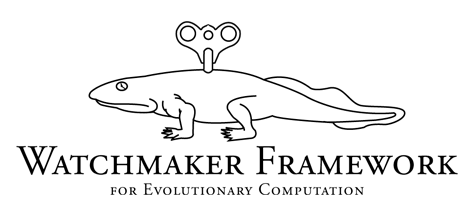
A while ago I created a new website for my main Open Source project, the Watchmaker Framework for Evolutionary Computation. While the new website was a definite improvement over the previous effort, it was still lacking something. It wasn’t distinctive. What I really needed was a logo, something that visually identified the project. But how do you represent evolution and/or a watchmaker in the form of a simple, distinct picture?
It was beyond my modest artistic skills so I headed to Reddit and floated the question of how to find a graphic designer who would be willing to contribute to an Open Source project. I wasn’t expecting much, after all I was asking somebody to work for free on a fairly obscure project.
The usual way to get somebody to make you a logo is to find a professional graphic designer and pay them, or to stump up some cash to fund a contest on worth1000.com or 99designs.com. The prices start at $204 at the latter. I got a few suggestions from the Reddit crowd that I should try this monetary compensation idea.
I also got several people offering to produce a logo for me free-of-charge, and even a few who spontaneously decided to create something and submit it as a suggestion (see some of the links in the Reddit thread). I really wasn’t sure if there would be many graphic designers who were interested in helping out Open Source software projects but it seems there are plenty. What is lacking is somewhere on the web to connect these willing designers with needy projects.
One of the people who got in touch to offer his services was Charles Burdett. He sent me a link to his impressive portfolio. I quickly accepted Charles’ offer before he had a chance to change his mind. This meant turning down a number of other offers that I received. I’m extremely grateful to all of the people who were willing to help me out, and some of the concepts that people suggested would have made very good logos.
Charles came up with the concept that now adorns the Watchmaker project website – the clockwork Ichthyostega. To be honest, I don’t even know how to pronounce that but Wikipedia tells me that Ichthyostega was a creature from the Upper Devonian Period. It was an intermediate form between fish and amphibian, so a significant step in the evolution of life on this planet.
This logo fits in very nicely with the existing site design and, because it’s a simple outline drawing, it should be very versatile for use in different contexts. I’m very happy with the result and I’d like to thank Charles for all of his work on this. If you like this logo, or any of Charles’ other work, he is available for hire.
New Adventures in Software – Top 10 Most Popular Articles of 2009
The end of the year is here and, as is traditional among bloggers and mainstream media alike, I’ve lazily compiled a top 10 list to mark the occasion without having to exert myself. So here it is, according to Google Analytics, the top 10 articles of 2009 from this sporadically updated blog.
When I checked the stats, four of the top five most read articles this year were actually from 2008, with Why are you still not using Hudson? claiming first place. This list includes only those articles that were first posted in 2009.
- 5 Ways to Become a Famous Programmer
- Practical Evolutionary Computation: An Introduction
- Random Number Generators: There Should be Only One
- Practical Evolutionary Computation: Implementation
- Debugging Java Web Start Applications
- Using PHPUnit with Hudson
- Understanding PHP – A journey into the darkness…
- Programming the Semantic Web and Beautiful Data
- Uncommons Maths 1.2
- The Java Language Features that Nobody Uses
Happy New Year.
Programmers’ CVs – 20 years behind the times?
Take a programmer’s CV/résumé from the late 1980s and one from today and, aside from the content, what has changed?
Not much. Both will typically be approximately two pages of static, word-processed, black text on white A4 paper (or US Letter in North America). Maybe the text doesn’t always arrive on actual paper these days thanks to the miracles of electronic document transfer, but the format of the typical CV has not really changed since the demise of the typewriter.
NOTE: Just to be clear, I am considering CVs and résumés to be equivalent. Wikipedia makes a distinction but I’m assuming that’s mainly an American thing. In the UK there is typically no distinction and the Latin term “Curriculum Vitae”, abbreviated to “C.V.”, is almost universally preferred to the French “résumé” (I’ve no idea why there isn’t an English word for this type of document).
Have we really found the optimal way of communicating our skills and experiences, or has the humble CV been neglected by the Internet revolution? The IT recruitment industry seems wedded to the Microsoft .DOC format. This is partly because of the ubiquity of Microsoft Office in the corporate world and partly because agents prefer to receive CVs in a format that they can easily edit (which is why I insist on sending my CV as a PDF).
Dynamic CVs
Where’s the innovation? Shouldn’t a CV be something more dynamic? And why are we still e-mailing attachments every time we want somebody to see our CVs? Attached files very quickly become outdated. I often have recruiters that I’ve spoken to in the past phoning me to ask for an updated CV. If my CV was a URL, people would always be able to see the latest version (assuming I let them have access). We do have LinkedIn profiles, which are fine in the context of your LinkedIn network but don’t really work as a general purpose CV.
Fortunately, there are some people trying to drag the programmer’s CV into the 21st century. Ben Northrop’s coderscv.com provides a free online home for your programming CV. The documents are nicely presented and the timeline view is a neat way to display your own personal history. VisualCV goes even further and embraces multimedia content, though the site is not IT-specific. Maybe it’s not a good idea to have a video as part of your CV but it’s nice to have the choice.
If you are planning to break a few conventions with your CV, either on the web or in a static file, it would be useful to measure the impact of any changes that you make, so you might be interested in TrackMyCV.com, which I saw announced today on Reddit. You use it to make documents trackable in pretty much the same way spammers embed 1-pixel images in e-mails in order to see which messages get read.
StackOverflow Careers
Another attempt to bring programmer CVs into the Web 2.0 age is the recently announced StackOverflow Careers. Despite some minor imperfections, the main Stackoverflow site has been a phenomenal success. Co-founder Joel Spolsky has had previous success with the Joel on Software jobs board and we are reminded that he wrote a book on recruiting programmers, so this kind of job-related monetisation was the obvious next step.
Voting peculiarities and reputation anomalies aside, StackOverflow is a meritocracy of sorts and it is this that Joel and business partner Jeff Atwood are attempting to exploit. A CV posted on StackOverflow Careers will be accompanied by a reputation score and a history of contributions to the programming community. The careers feature is currently in beta and is not particularly sophisticated at present but I expect it to expand over time.
I like the idea of expanding the scope of a CV to include other online evidence of programming competence. In this case it’s StackOverflow reputation but it could be Ohloh data or information from Google Code/SourceForge. However, at $99 to list your CV for a year, the current pricing is ridiculous. Most recruitment sites charge employers but let candidates use the service for free. Joel and Jeff are taking a fee from both sides. The justification for charging candidates is that it will ensure that the only CVs listed on the service will be from people who are actively looking for work, increasing the value of the service to potential employers. It should also mean that your CV page is kept free from advertising.
I suspect that Joel and Jeff are aware that $99 is too much but it’s easier to start out too expensive and reduce the price than it is to do the opposite. The $99 figure also serves to make the introductory offer of $29 for 3 years look more reasonable in comparison. The problem with the introductory offer is that it only runs until 9th November. The site is still in beta and the functionality for employers to sign-up has not been launched yet. So, if you sign-up now to get the reduced rate, you’ll be paying $29 to list your CV on a site that is not used by any employers. It’s an unproven platform with a boot-strapping problem. Most programmers won’t want to pay money for a speculative premium service and employers are likely to be reluctant to sign-up to search a database with so few potential hires.
That’s Gotta Hurt – Netflix Prize Snatched Away at Last Moment?
30 days ago, the BellKor’s Pragmatic Chaos team submitted the first qualifying solution for the $1 million Netflix prize. The prize is awarded to the best performing solution 30 days after first submission that achieves the 10% improvement threshold.
BellKor achieved 10.05% on 26th June and have since moved on to 10.08%. Several teams that were close to the qualifying mark responded by forming coallitions in a frantic race to find a hybrid solution that would surpass BellKor’s mark before the end of the 30 day period.
The Ensemble is one of these super teams. They achieved the 10% mark two days ago and then today, on the very last day of the competition, they appear to have dramatically snatched the prize with a submission that is just 0.01% better than BellKor’s.
UPDATE: BellKor subsequently submitted an entry that matched the Ensemble’s 10.09% only for the Ensemble to trump that 20 minutes later with a score of 10.10%, 4 minutes before the submissions closed.
UPDATE 2: Simon Owens has posted an interview with one of the members of the winning Ensemble team.
UPDATE 3: The Ensemble themselves have posted an account of the nail-biting final minutes of the competition.
First Qualifying Solution Submitted for $1 Million Netflix Prize
The word on the street (well Reddit actually) is that the BellKor’s Pragmatic Chaos team today submitted the first qualifying solution for the Netflix Prize. If nobody submits a better solution within the next 30 days then they will claim the $1 million reward that has so far eluded the best efforts of thousands of programmers and researchers since the competition was launched in October 2006.
Netflix is a US-based online DVD rental service. One of their features is that they make movie recommendations to customers based on their previous viewing history. In order to improve their recommendations system, Netflix has been offering a million dollar reward to any individual or team that is able to develop software that increases the accuracy of these recommendations by at least 10%.
The financial rewards and intellectual challenge of the Netflix Prize have encouraged almost 50,000 individuals and teams to attempt to solve the problem using a vast array of different AI and data-mining techniques.
The BellKor team have overcome such obstacles as the Napolean Dynamite problem and will no doubt have the champagne on ice while they nervously wait to see if anybody else is able to surpass their results within the next month.
Opera Unite Divides Opinion
Opera Software would have you believe that yesterday they reinvented the web. The launch of their new Opera Unite service has received a decent amount of publicity. By now you’ve probably heard all about it, but if not you can read the details here.
The 10 second summary is that version 10 of Opera’s web browser contains a web server that allows users to serve web content directly from their desktop machines or laptops. However, this description doesn’t really capture the potential of the platform.

Some commentators have dismissed the announcement with a “so what?”. Opera Unite content is only going to be available while the user’s computer is switched on and running Opera and will be constrained by their available upload bandwidth (which often isn’t much thanks to the ‘A’ in ADSL). That doesn’t really cut it when compared to low-cost web hosting packages capable of serving thousands of users, but then the comparison isn’t particularly helpful.
I don’t need Opera Unite to host my personal website from my desktop. I can install and configure Apache, tweak my firewall/router settings and find a solution to dynamic IP address issues. The point is that with Opera Unite, you don’t have to do any of that. Opera have completely eliminated all of that hassle and in doing so have made web serving accessible to even non-technical users. But that’s only half of the story. Serving your personal home page via Opera Unite is still sub-optimal. If you want (semi-)permanent web hosting, pay for some cheap PHP hosting or get a WordPress.com account.
If somebody gives you an Opera Unite URL, you shouldn’t expect that resource to be still around tomorrow or next year like you would with a link to Wikipedia. The real value in Opera Unite is in ad hoc sharing and transient collaboration. Things that were possible but bothersome previously are now trivial because you don’t have to worry about server configuration and networking issues.
For example, say I wanted to invite every reader of this blog to join a chat session. I could try to find out which IM clients you all use and try to arrange something via MSN Messenger, Skype or Google Talk. Or I could install and configure my own IRC server. Or I could try to find a third-party server to host the chat room. With Opera Unite I can simply open up my lounge and give you all the URL (regardless of which browser you happen to be using). It just takes a few clicks. The service is transient. When we’re done, I kick you all out.
In our chat session I might decide to share some photos or other files with you. I could send them via e-mail or upload them to an FTP server or a service like Flickr, but again it’s simpler with Unite. I just enable the appropriate service and share the URL. You can browse my shared directory and grab what you want directly from my machine. The link probably won’t work tomorrow, but you won’t need it tomorrow. Temporary is fine when it’s this easy.
The other service that I’m already finding useful is the media player, which enables me to remotely play my home MP3 collection from the office. The Unite platform is based on open standards, so it will be interesting to see what other ideas for services people come up with.